 Saay
Every WhatsApp conversation your company has, in one inbox for the whole team
Connect your WhatsApp Business number in minutes, assign conversations across the team, send approved templates and campaigns to people who opted in, and let routine replies run on their own.
What your team uses every day
Shared inbox
Everyone works on the same number, with assignment to people and teams, internal notes, and a clear reply-time target (SLA) on every conversation.
Approved templates
Sync your WhatsApp templates and start conversations with an approved template once the 24-hour window has closed, as Meta requires.
Campaigns to opted-in contacts
Import contacts from CSV with a dry run first, segment them, and send campaigns that respect consent and opt-outs automatically.
No-code automations
After-hours replies, keyword routing and multi-step flows with delays, with a run log for every execution.
Real reporting
Conversation volume, reply times and team performance by period and number, from your own account data only.
API and webhooks
Scoped API keys, signed outbound webhooks and Swagger documentation to connect your own systems.
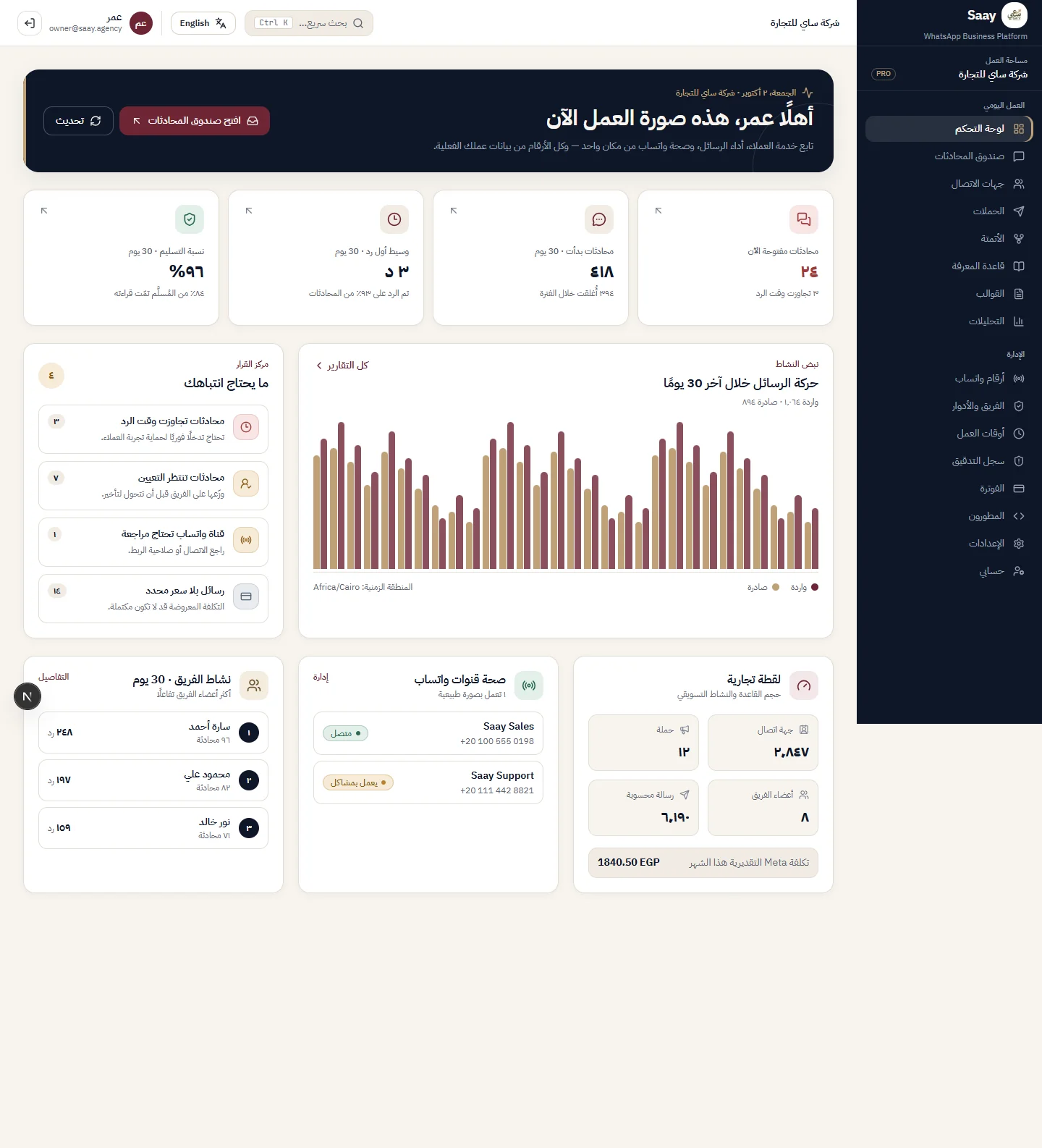
A clearer view of your team’s work.
Follow conversations, response times and team activity in one place.
Connected through Meta directly
You connect your number from Meta's own Embedded Signup screen. The WhatsApp account and number stay yours, in your company's Business Manager.
Create your account
With email and password, then invite colleagues as owner, admin or agent.
Connect WhatsApp
Log in with Facebook and choose your WhatsApp Business account and number. Eligible numbers can keep using the WhatsApp Business app at the same time.
Start replying
New messages appear in the inbox immediately, and delivery and read receipts update live.
Meta messages are billed by Meta
WhatsApp message fees are paid to Meta directly, on the payment method in your own WhatsApp Business account, at Meta's official rates by country and message category. We add nothing on top; the platform subscription is separate. Meta's official pricing
Plans
Starter
- 1 platform WhatsApp number
- Up to 3 team members
- 1,000 active conversations a month
- Shared inbox, templates, quick replies
- Greeting, away messages and business hours
Growth · Most popular
- Up to 3 numbers
- Up to 10 team members
- 10,000 active conversations a month
- Keep your number on the WhatsApp Business app
- iPhone and Android mobile app
- Campaigns, automations and department routing
Pro
- Up to 10 numbers
- Up to 30 team members
- 50,000 active conversations a month
- AI assistant that answers from your knowledge base
- API, webhooks and audit log
Every new workspace starts with a 14-day trial of every feature. Pay yearly and get two months free. Need bigger limits or a contract? Enterprise is custom. Meta message fees are not included and are paid to Meta directly; prices exclude tax.
Questions
Is Saay an official Meta partner?
Saay runs on the official WhatsApp Cloud API and connects numbers through Meta's Embedded Signup flow. Saay is an independent company and is not affiliated with Meta.
Can I keep my current number?
Yes, if it is eligible. Eligible WhatsApp Business app numbers can stay active on the phone and on the platform at the same time (coexistence).
Who pays for messages?
Meta bills your WhatsApp Business account directly. Saay takes no commission on messages.
Can I message any number?
No. WhatsApp requires the customer's consent, and starting a conversation more than 24 hours after their last message requires an approved template. The platform enforces both.
Where is my data stored, and can I delete it?
On a dedicated server we administer ourselves. You can export your data and delete your account from Settings, and we delete the data within 30 days under the Privacy Policy.